Image to Excel has been installed.
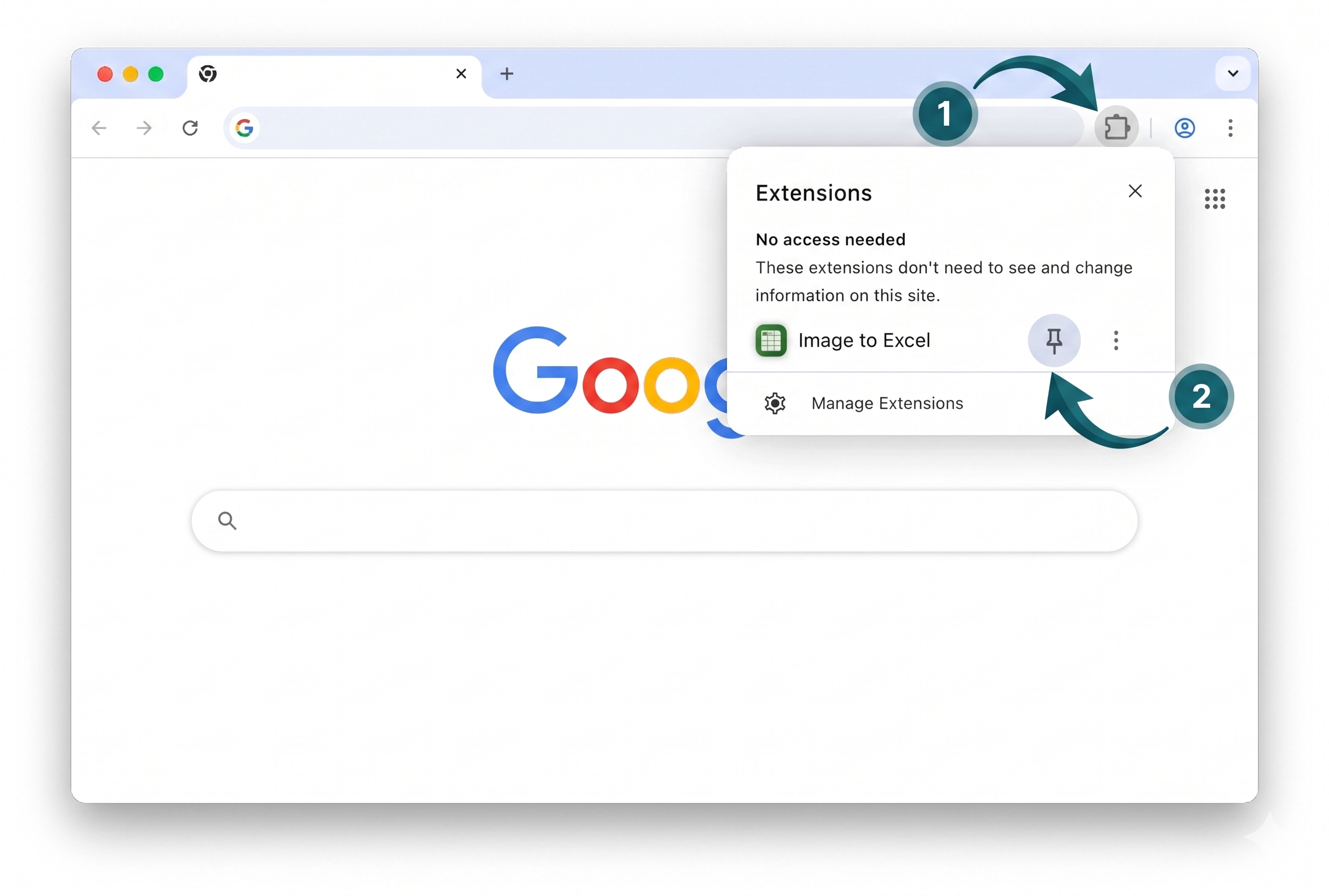
Click the puzzle icon (1) in the top right of Chrome. Click the pin icon (2) next to Image to Excel.
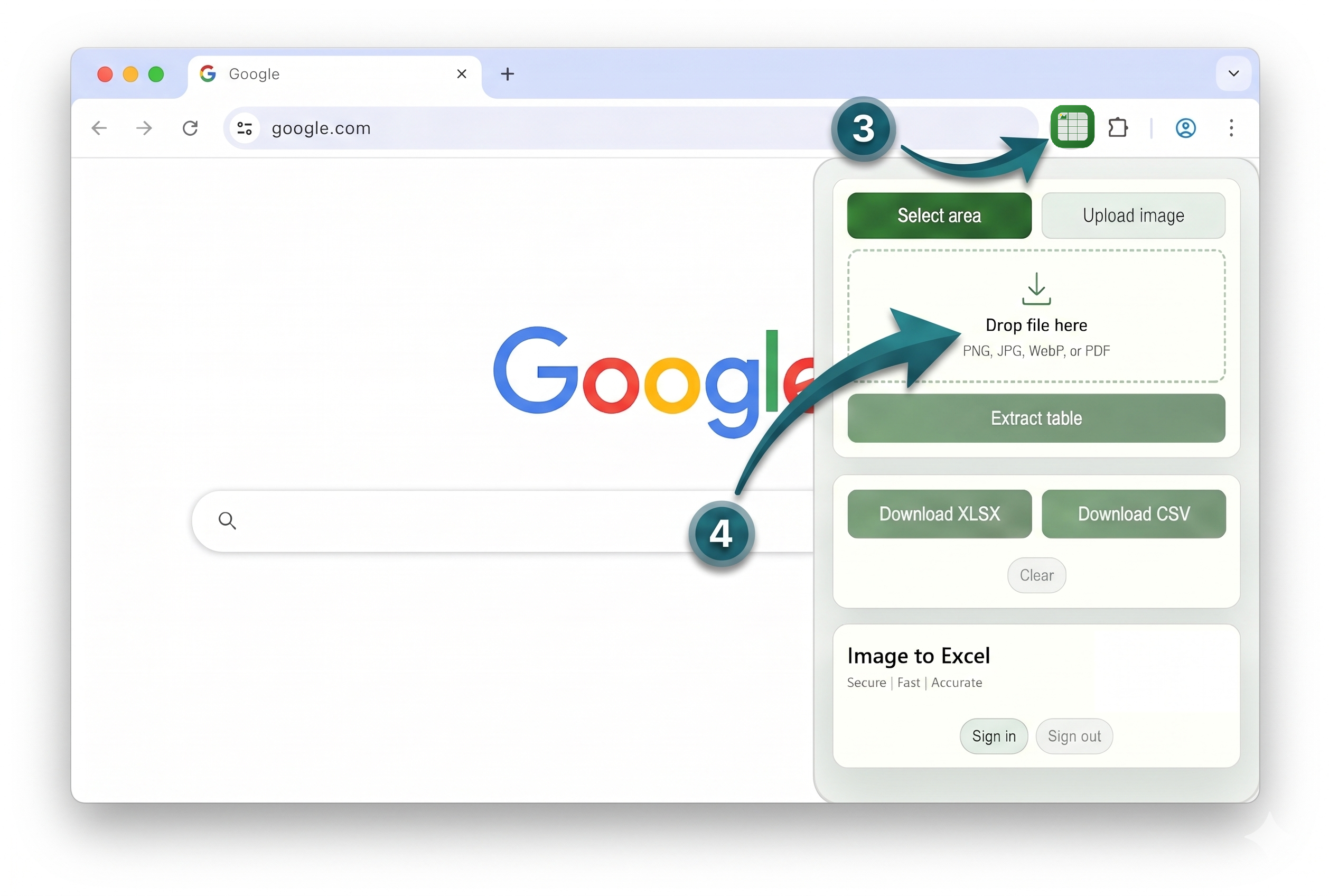
Open Image to Excel (3) on any page, then use Select area or Upload image (4) to extract and download XLSX or CSV.