01
Select the exact area
Start from the popup and select a table directly inside the browser on pages, images, or PDFs. Upload is there when the table is a local file.
 Image to Excel
Chrome extension
For analysts, operators, and anyone who needs table data from a screen, scan, or PDF.
Use Image to Excel to convert JPG, PDF, or another image into Excel and avoid retyping image by exporting for XLSX or CSV.
The situation
Image to Excel keeps the job in the browser: choose the table area, extract it with AI, and move on with a spreadsheet you can use.
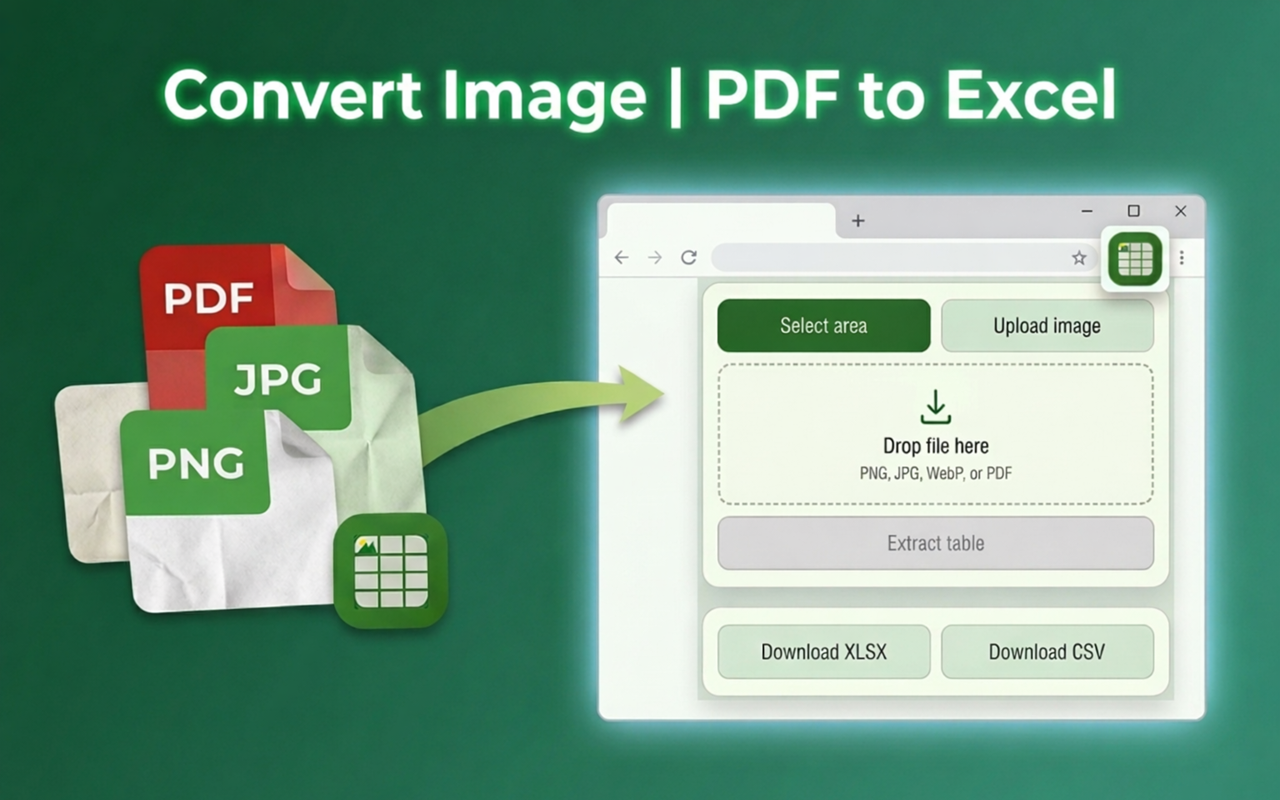
Product flow
01
Start from the popup and select a table directly inside the browser on pages, images, or PDFs. Upload is there when the table is a local file.
02
Confirm the table in the extension before export so the downloaded file reflects the reviewed result.
03
Save a clean Excel workbook or CSV instead of rebuilding the table by hand.
Benefits
Work from the tab where the table is already visible.
Use JPG, PDF, screenshots, scans, or another image.
Keep the popup flow focused on extraction, review, and download.
Converter workflows
Each guide explains the best way to prepare that input, when to upload a file, and when the Chrome extension can capture the table directly.
FAQ
Image to Excel turns table images, screenshots, scans, JPG, PNG, and PDF pages into spreadsheets you can edit and download.
Yes. You can convert a table on this page directly in your browser, then download the result as XLSX or CSV.
Reviewed tables export as XLSX for Excel or CSV for other spreadsheet tools.
The Chrome extension lets you select a table area directly on any page, image, or PDF without saving and re-uploading a file, and keeps the review-before-export flow for every capture.
Chrome extension
Select area in browser on pages, images, or PDFs. Review the table before export, then download XLSX or CSV from the same popup.